Custom shortcuts & remapping
Every keyboard shortcut in Tessera can be yours: remap any built-in chord, and add shortcuts of your own that type for you — fired from a hardware-keyboard chord, a chip on the accessory bar, or both.
It all lives under settings → keyboard & input → shortcuts: a summary card counts what's bound, what's changed, and what's custom, and customize… opens the editor.
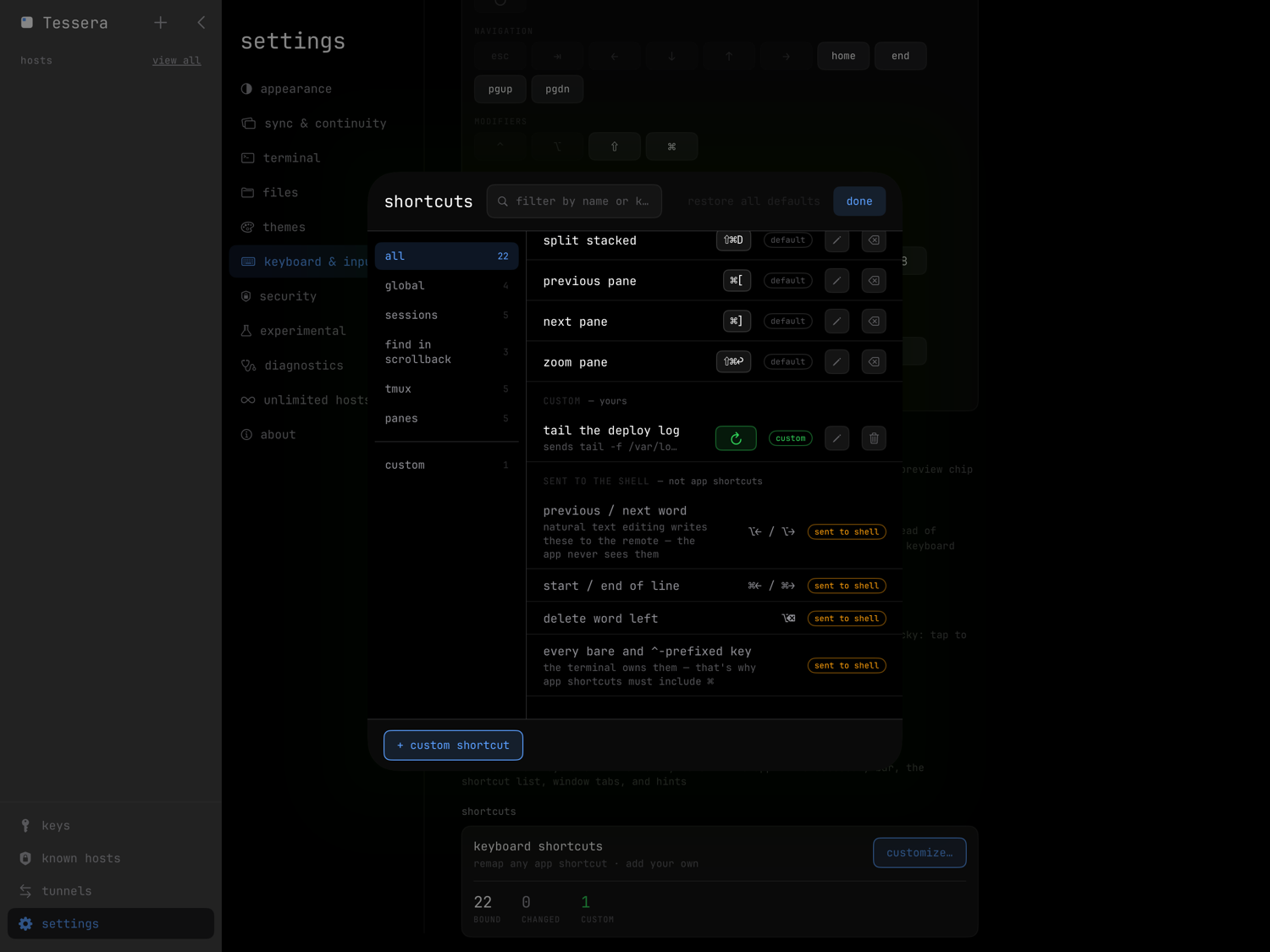
Custom shortcuts
+ custom shortcut at the bottom of the editor creates one. A shortcut has:
- a name — also the VoiceOver label for its chip,
- sends — the text it types, sent literally, spaces included. Toggle press return afterwards to have it run immediately; the editor warns, because the command then executes the moment the shortcut fires.
- a trigger — a recorded keyboard shortcut, an accessory bar chip, or both. At least one is required. A chip's label is either a monochrome icon from a small curated set or up to six characters of text — an emoji counts as one character.
Chips you create appear on the bar and in the layout palette under your shortcuts, and can be reordered like any other chip.
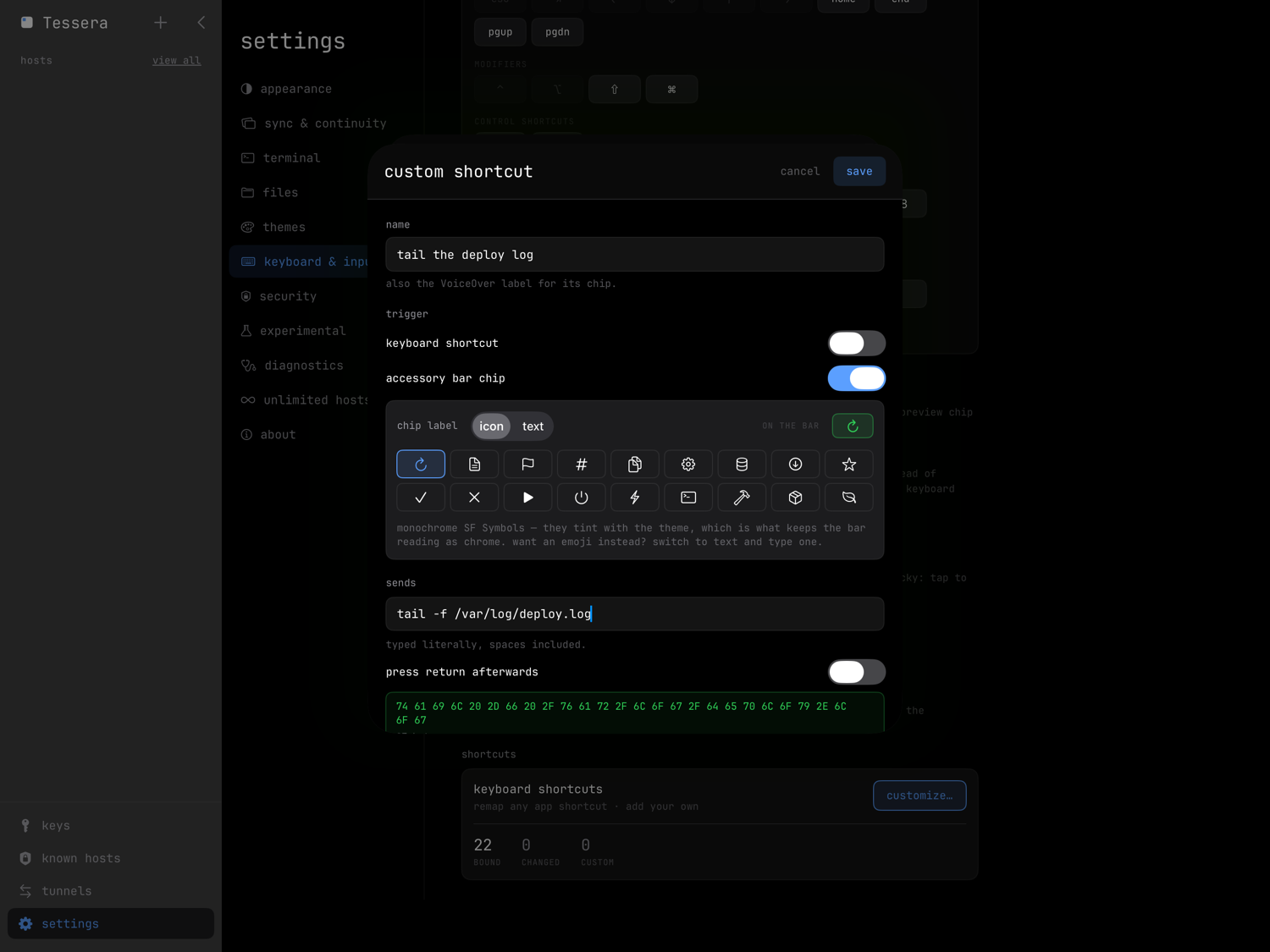
Where it applies
Each custom shortcut carries a scope:
| scope | meaning |
|---|---|
| everywhere | every session, every transport |
| these hosts | only the hosts you pick |
| this program | only while a particular program is in the foreground |
this program takes a literal process name (claude, vim) or a
regex: prefix — the same matcher
swipe-pad profiles use — so an "approve" shortcut
can exist only while an agent is up. Tessera reads the foreground process
through tmux, so program scoping works in auto-tmux and named tmux
sessions; in a custom-command session such a shortcut stays dormant.
Out-of-scope chips dim on the bar rather than disappear.
Remapping the built-ins
Tap the pencil on any row and press a new chord. The recorder answers immediately:
- free — nothing else uses it; save.
- already used — saving takes it, and the previous owner becomes unbound until you give it another chord.
- rejected — a few chords can't be taken:
- app shortcuts must include ⌘ — everything without it belongs to the terminal (^E is end-of-line in every shell),
- ⌥ chords where ⌥ changes the character a key produces would never match, so the recorder refuses them,
- iPadOS keeps a few for itself (⌘space, ⌘tab, ⌘H, ⌘W, the screenshot chords) — Tessera closes tmux windows with ⇧⌘W for exactly that reason,
- arrows and ⌃tab are claimed by the system focus engine and can't be captured.
⌘1–⌘9 remaps as a block: you change the modifiers, the digits stay. restore all defaults puts every built-in back; your custom shortcuts are not affected.
Recording a chord needs a hardware keyboard attached — iPhone or iPad, it's the keyboard that matters, not the device. Chip-only custom shortcuts need no keyboard at all.
Glyphs or words
settings → keyboard & input → modifier notation chooses how chords are written everywhere in the app — the accessory bar, the shortcut list, window tabs, and hints:
- glyphs — ⌘⇧E (the default),
- words — cmd-shift-e.
A live sample under the control shows the difference before you commit.
The keyboard & input page lists every default chord.