tmux
Tessera speaks tmux's control mode (tmux -CC) natively: windows and panes
are first-class interface elements, not a text passthrough. It requires tmux
installed on the server.
Why tmux
With a tmux-backed session, the shell lives on the server. Close Tessera, lose Wi-Fi, switch to cellular, put the device to sleep — none of it kills your work. Reconnect and you're exactly where you left off.
Attaching
The auto-tmux launch mode attaches to (or creates) a per-host session with
a deterministic tessera-XXXXXXXX name, remembered across app reinstalls.
named tmux attaches to a session name you choose. Both are set per host in
the host editor.
The deterministic name means two of your devices using the same host entry land in the same tmux session — which is what makes handing off a session between them seamless.
If tmux can't come up, Tessera doesn't leave you waiting: a host without
tmux installed, a tmux session that fails to start, or dotfiles that already
exec tmux at login all drop you into a plain shell with a banner naming
the reason ("this host starts its own tmux at login — showing that session
as a plain terminal"). See
when a connection stalls.
Windows
tmux windows appear as tabs in the session's top bar, in index order. A + button in the bar opens a new window; when there are more tabs than fit, an overflow control lists every window. Each tab carries a close control, and windows can be renamed from the ⌘K palette — the name is shared with every client attached to the session.
| shortcut | action |
|---|---|
| ⌘T | new window |
| ⇧⌘W | close pane / window |
| ⇧⌘[ / ⇧⌘] | previous / next window |
| ⌘1 – ⌘9 | jump to window 1–9 |
Panes
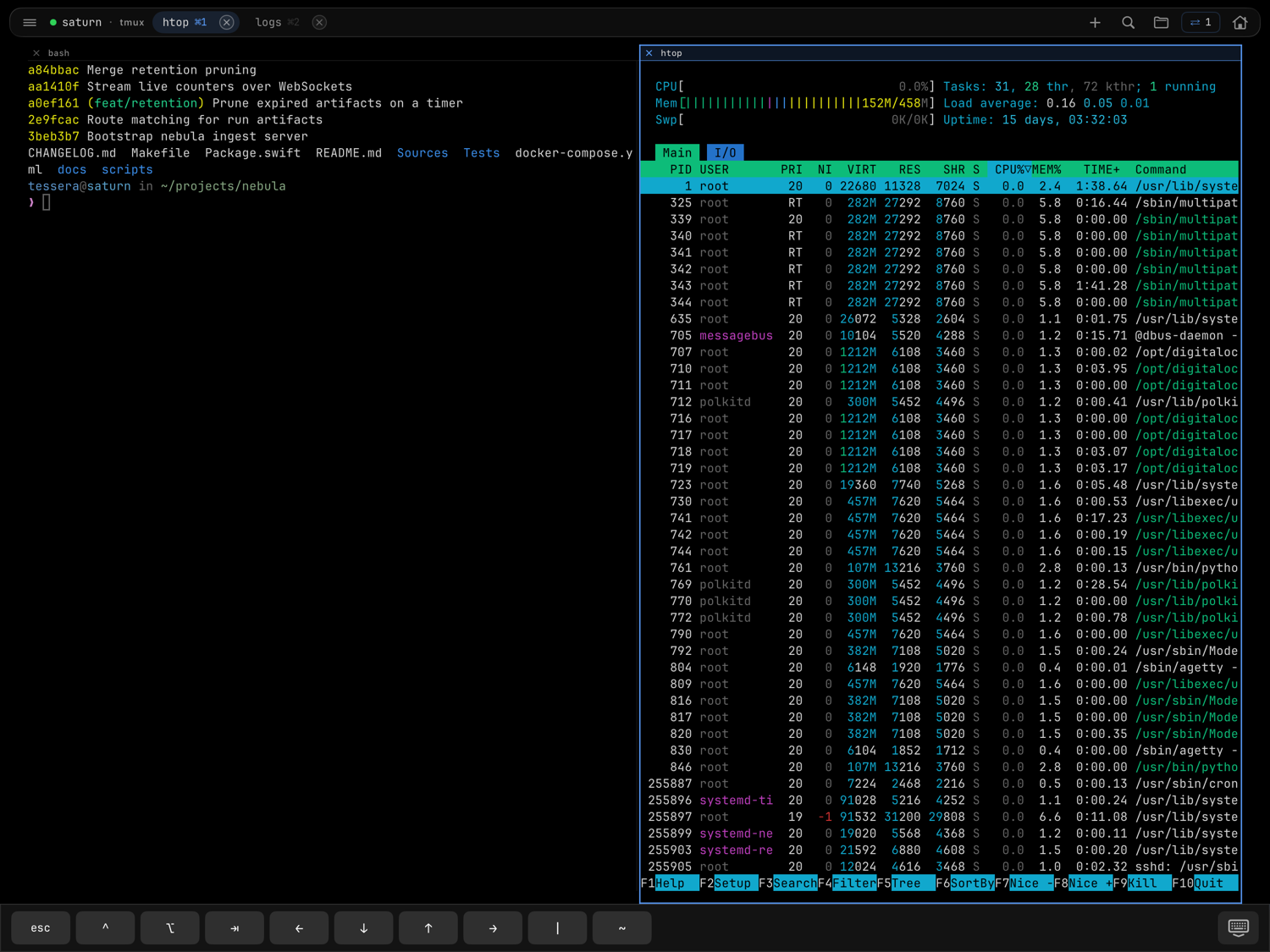
Panes are real tmux panes, driven through control mode.
| shortcut | action |
|---|---|
| ⌘D | split side by side |
| ⇧⌘D | split stacked |
| ⌘[ / ⌘] | cycle panes |
| ⇧⌘↩ | zoom / unzoom pane |
On iPhone
Attaching from an iPhone never reflows your layout: splits and zoom state stay as the bigger screen left them, and the phone shows one pane at a time through the switcher. See tessera on iPhone.
Mosh + tmux
Over mosh, the terminal runs on UDP while the tmux tabs ride a second SSH side channel. That side channel is also what carries port forwarding for mosh hosts — and real scrollback.
Bells
tmux control-mode wiring is what lets Tessera route terminal bells to notifications — per window, with the belling tab marked.
Gotchas
- Environment variables and startup snippets only run when the tmux session
starts. After changing them, kill the session on the server
(
tmux kill-session) to pick up the changes. - Attaching from Tessera and from another client at the same time works, but both clients share the same windows — that's tmux, not a bug. When the other client is your own iPhone or iPad, Tessera handles the contention politely — see take back control.
- If output looks wedged after heavy redraws, ⌘R (iPad) forces a full repaint. And if a session ever attaches without painting, Tessera says so ("press any key to wake it") — your first keystroke brings the screen up.