Port forwarding
Local port forwarding lets you reach services behind your server — a database, a notebook, a dev server — from your device as if they were local.
Adding a rule
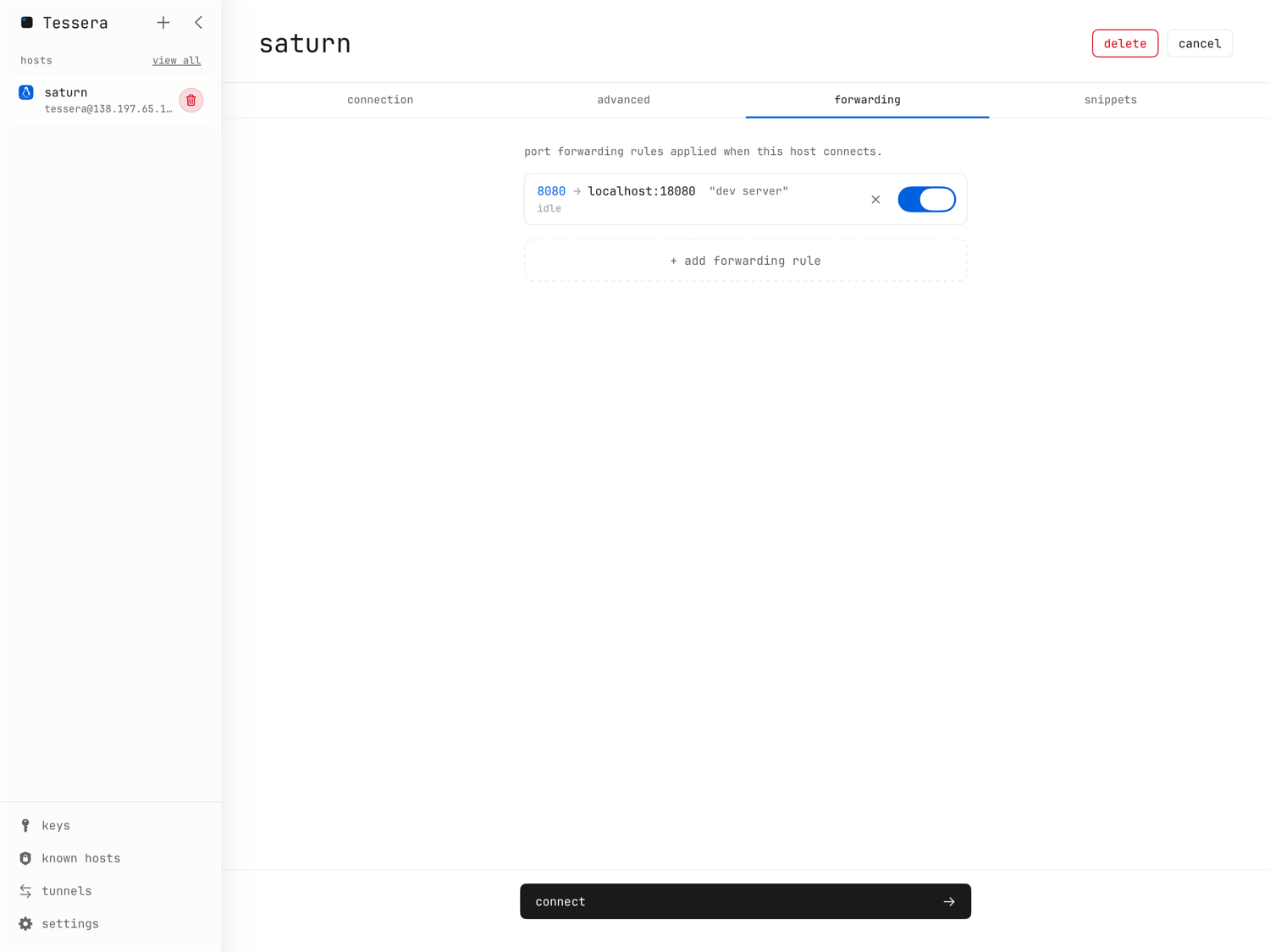
Open a host in the editor and go to the forwarding tab. Each rule is:
- local port — the port on your device (must be 1024 or higher; the iOS sandbox can't bind below that),
- remote host — as seen from the SSH server (default
localhost), - remote port,
- an optional label,
- auto-start when connecting.
Presets cover the usual suspects: jupyter 8888, postgres 5432, mysql 3306, redis 6379, web 3000, web 8080.
Local ports can't repeat within one host. Edits to rules apply live to an already-connected host.
The tunnels page
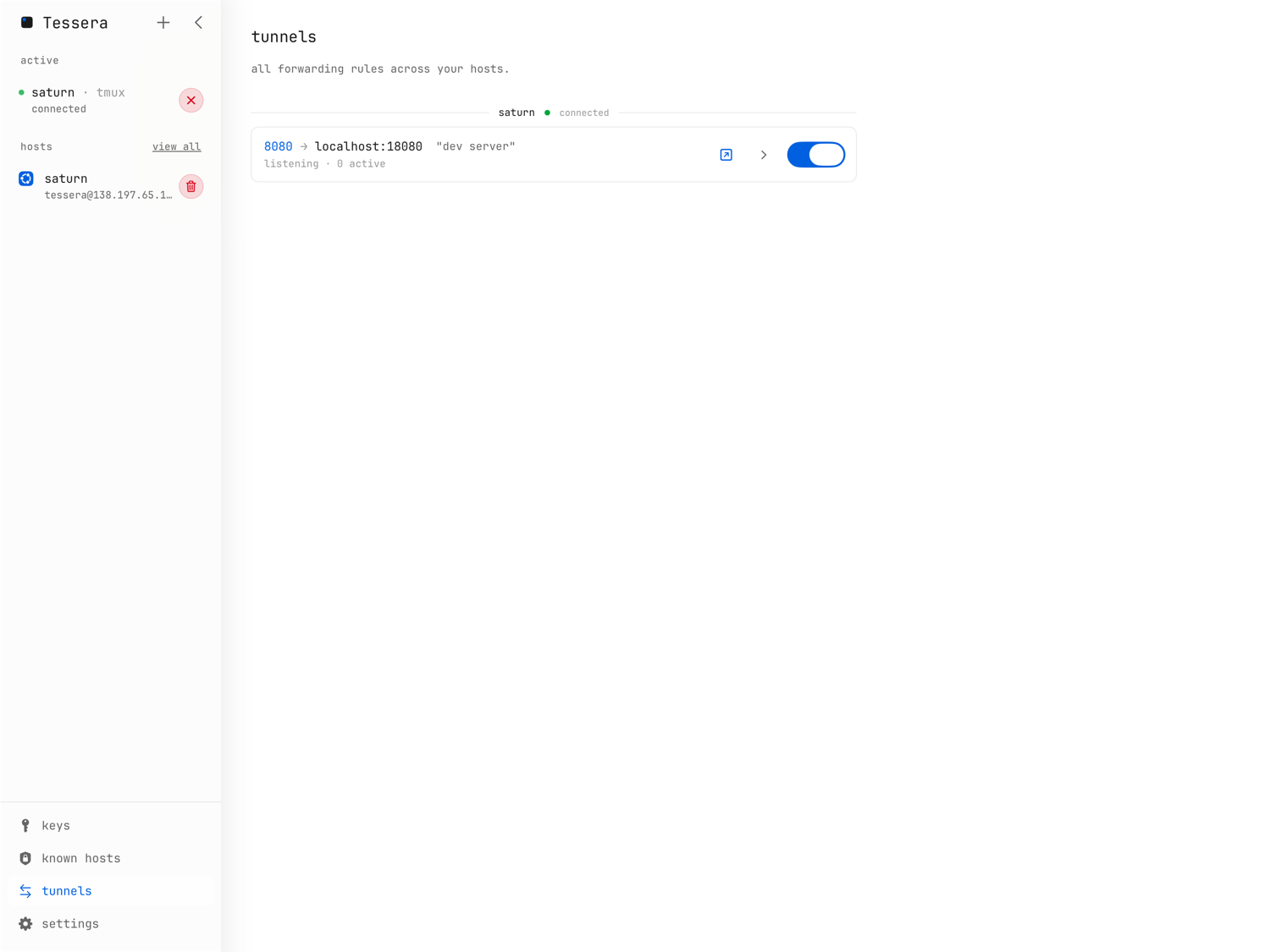
The sidebar's tunnels page gathers every forwarding rule across all your hosts, grouped by host with connected/disconnected status. Each rule shows its state (e.g. "listening · 0 active"), live ↑/↓ byte counters, an enable toggle, and a button to open HTTP-ish ports in Safari.
Inside a session, a ⇄ N chip in the top bar shows the same state for that host.
On iPhone, tunnels are visible from the session top bar but rules are created and edited on iPad.
Using a tunnel
Once a rule is listening, point any app on the device at
localhost:<local port> — a
browser for a dev server, a Postgres client for a database. The traffic
travels inside the SSH connection to your server, which then connects to the
remote host:port.
Mosh and forwarding
Forwarding rules ride the SSH connection. With the mosh transport:
- auto-tmux and named tmux launch modes keep an SSH side channel for tmux, and forwarding works over it.
- custom launch mode has no SSH connection to carry forwards, so adding rules is disabled — switch the launch mode to auto-tmux or named tmux.
Limits
- Local port must be ≥ 1024 (iOS sandbox).
- No duplicate local ports per host.
- Forwarding is local-to-remote only; there's no remote (-R) forwarding.