continuity
With an iPhone and an iPad on the same Apple Account, a live session can follow you between them. Tessera hands off a pointer to the session — never a password or a private key; each device authenticates with its own credentials.
Handing off a session
With settings → sync & continuity → hand off sessions enabled (it is by default), your focused connected session appears on your other device — in the App Switcher on iPhone, in the Dock on iPad. Tap it and the other device opens the same saved host.
For tmux-backed sessions that means the same screen: both devices attach to the same tmux session, so the handoff continues exactly where you were. A plain SSH or mosh session can't be shared mid-stream, so the other device reconnects fresh instead — Tessera labels the two cases honestly.
Handoff is Apple's mechanism, so its requirements apply: the same Apple Account on both devices, Bluetooth and Wi-Fi on, and Handoff enabled in the iOS Settings app. While a device is locked it stops broadcasting, and an incoming session waits for Face ID.
First time on a new device
Credentials never travel, so the first continuation to a device that hasn't connected to that host before shows a credential card: authenticate with a password or pick a key on this device, stored only in this device's keychain. After that, continuing is one tap. A host the device has never seen arrives as a prefilled editor — nothing is saved silently, and host key verification still applies. When the host's key matches what your other device already trusts, the sheet says so — but the decision to trust stays yours, per device.
Authorize this device
Instead of typing a password on the new device, the credential card can ask your other device to vouch for it: authorize this device from your other device installs the new device's public key on the host, over the session your other device already has open. The other device shows exactly what will be installed — device, host, key fingerprint — and asks for Face ID. No password or private key crosses between devices; the host simply learns one more public key.
Enrolled devices are listed under device access on the keys page, where the grant can be revoked — Tessera removes the key from the host over your own access, the same way it was installed.
Take back control
When another device continues a tmux session you're attached to, your screen doesn't silently reflow: the terminal blurs behind a card that names where the session went, and take back control — a tap, or any key — brings it home (that keystroke is consumed, not typed into the shell). Either device can yield and reclaim; the arrangement is symmetric.
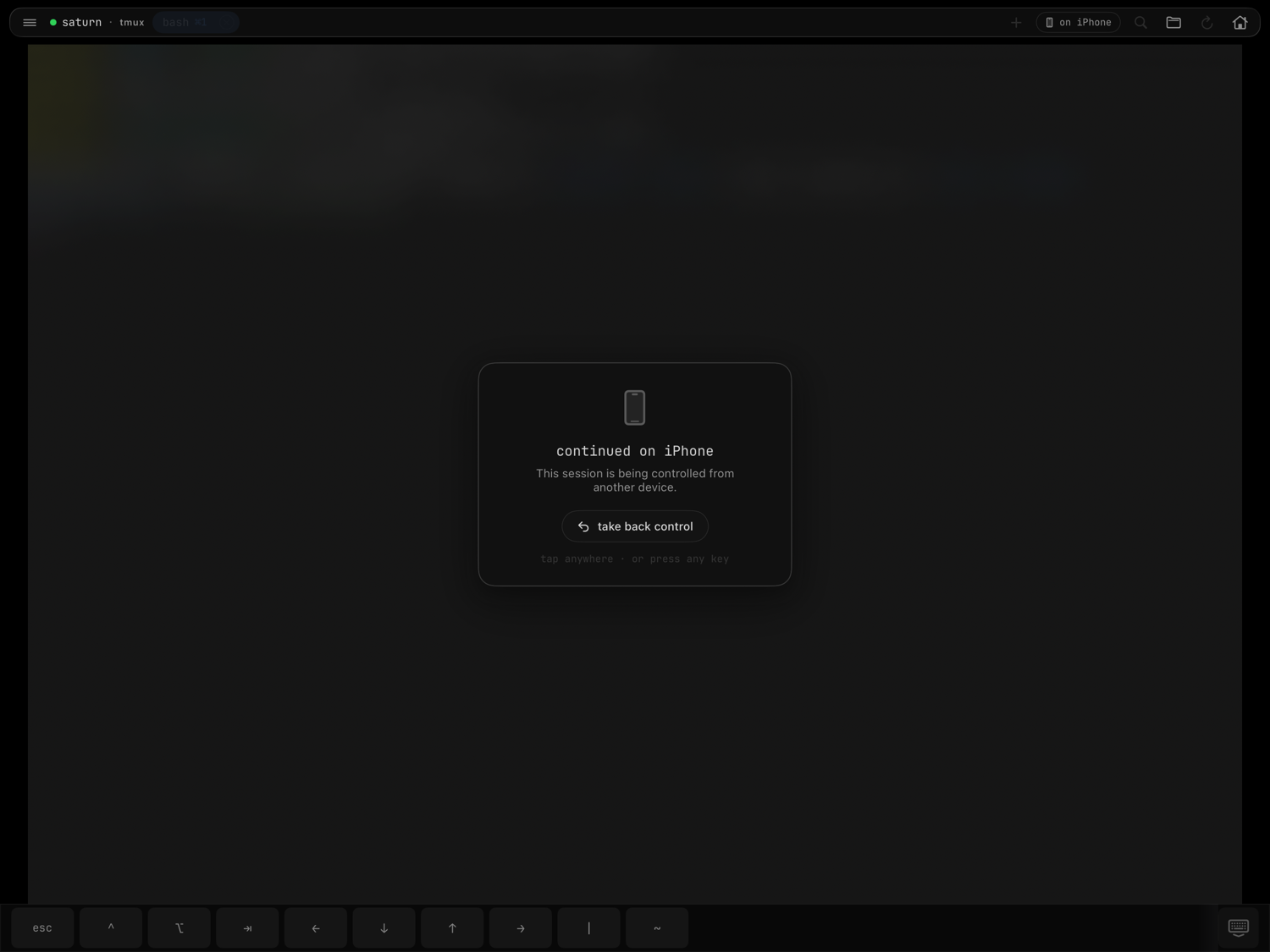
Take-back detection works through the tmux server itself, so it needs tmux 3.2 or later on the host, and only applies to tmux launch modes — a custom-command session reconnects a fresh shell, so there is nothing to take back.
What never syncs
Continuity moves session pointers and, with your explicit approval, installs public keys. It never transfers passwords, private keys, or host-key trust — each device keeps its own keychain and its own known hosts. To move your actual setup to a new device, use nearby setup.